
Replicator Manager: Easy Multi-Account Management
Managing multiple Maileon accounts at the same time can be a challenge—many of our users know this all too well. If you’re one of them, we have great news: Replicator Manager is here to make your workflow smoother, faster, and far more efficient.
What is the Replicator Manager?
Replicator Manager is a brand-new Maileon feature that enables real-time copying of emails, contact filters, account placeholders, events, and many other resources across different accounts. Designed with marketers and agencies in mind, it brings streamlined multi-account management into one central, intuitive interface. With just a few clicks, you can now transfer elements from one account to another—securely and reliably.
When can Replicator Manager be used?
The Replicator Manager becomes especially valuable when your business operates in multiple countries, and you don’t want to rebuild the same email automation flows over and over again. Instead of recreating them manually in every account, you can now simply copy them from one account to another — even across countries!
It’s equally useful if you run an agency and want to offer a great automation setup, an email template, or a well-designed contact filter segment to several clients at once. Instead of configuring everything separately for each client, just create it once in your master account and copy it into the sub-accounts with just a few clicks.
Manage Multiple Accounts Clearly and Efficiently
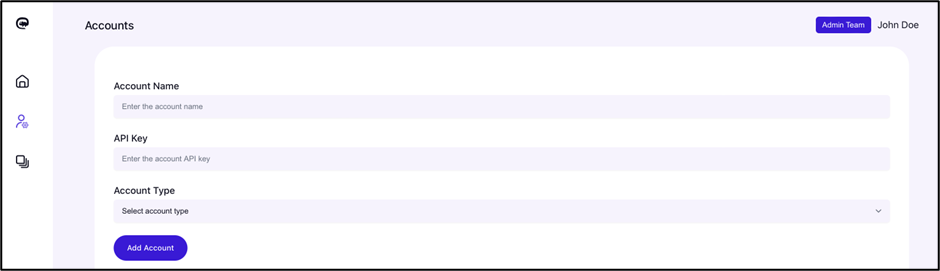
For transparent and secure account management, Replicator Manager offers two interface views. Administrators have full visibility of all connected accounts and can assign teams to each one, while regular users can only access the accounts assigned to them.
Accounts also fall into two categories:
- Primary account: the original source of data.
- Replica account: the destination where the selected elements are copied.
You can edit both account types at any time, but only one can be active during a replication session
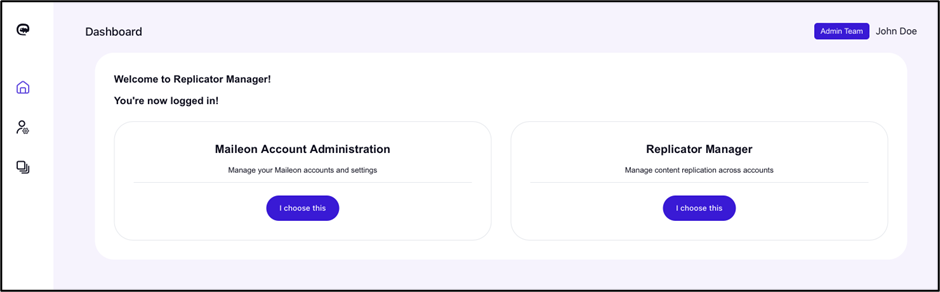
Creating a New Account: Just a Few Clicks
With this tool setting up a new account is quick and simple—you only need to define an account name and generate an API key and select the Account Type optionally
Once the account is created, the Replicator Manager organizes all available elements into clear, easy-to-navigate tabs. This structure makes it simple to review and manage everything in one place.
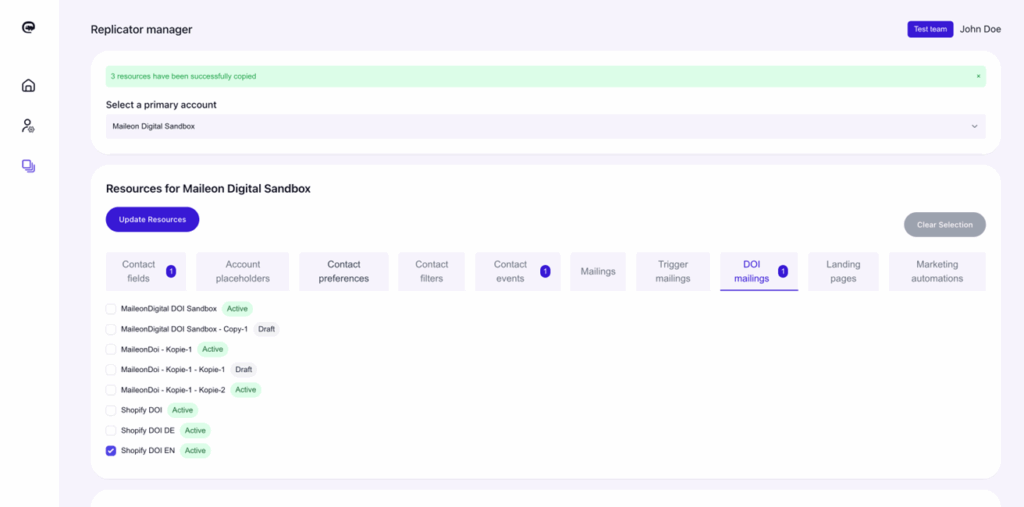
Seamless Navigation between items
Dependencies like automation workflows or contact events are handled automatically. When related items need to be copied together, Replicator Manager takes care of it behind the scenes. Every element includes a status indicator, and if you copy an active e-mail, it will remain active in the replicated account as well.
Save Time, Reduce Errors, Stay Consistent
With Replicator Manager, you can:
- Save valuable time and effort
- Minimize the risk of manual mistakes
- Maintain consistent setup across all your accounts
It’s a simple solution that delivers big efficiency gains—especially if you manage multiple clients or brand environments.

Ready to Try Replicator Manager?
Replicator Manager is available exclusively to Maileon customers and requires registration. If you’d like to test it or have any questions, feel free to contact us at support@xqueue.com and we are happy to help.
Quick Takeaways
- Real-time replication between Maileon accounts
- Copy mailings, contact filters, automations, and events instantly
- Avoid duplicate conflicts and maintain full control
- Streamlined for agencies and multi-brand marketing teams

Get a demo & grow your business
Book a demo with our specialists to get a complete look of the marketing automation platform that can match your ambitions.
